 Ultimate guide
The Complete Guide to Secure Messaging Without a Phone Number
Last Updated: October 26, 2026
Quick Summary
Secure messaging without phone number uses username, email, or system-generated ID registration instead of requiring a phone number, combined with end-to-end encryption and transparent data practices to protect your communications and digital identity.
- Username-based, email-based, and generated ID registration methods each offer different privacy and usability trade-offs for phone-number-free signup.
- End-to-end encryption ensures only you and your recipient can read messages, with the platform never accessing unencrypted copies.
- Metadata collection like contact discovery and activity tracking can compromise privacy even when messages are encrypted.
- Two-factor authentication using an authenticator app is essential for accounts without phone number recovery options.
- Cross-platform synchronization allows you to use the same account on phones, tablets, and desktops with synchronized message history.
Table of Contents
- Why Secure Messaging Without a Phone Number Matters
- Messaging Apps That Don't Require a Phone Number
- Secure Messaging Apps: What Actually Protects Your Data
- Messaging App Without SIM Card: Cross-Platform Synchronization
- Private Messaging App for Multiple Devices: Features That Matter
- The Registration Process: Setting Up Secure Messaging Without a Phone Number
- Common Mistakes When Choosing a Phone-Number-Free Messaging App
- Getting Started With Your First Secure Messaging App
- Frequently Asked Questions
Why Secure Messaging Without a Phone Number Matters
Most messaging apps demand a phone number just to sign up, and that number becomes a permanent identifier tied to your account, contacts, and communication history. For anyone uncomfortable linking their real phone to their digital life, this feels like a forced compromise.
Alternatives exist: several platforms now support registration through usernames, email addresses, or system-generated IDs.
A phone-number-free signup doesn't automatically mean anonymity or security: you also need end-to-end encryption, transparent data handling, and recovery options that don't force you back into phone-number dependency. This guide covers which apps deliver on all three fronts.
Messaging Apps That Don't Require a Phone Number
Several established platforms now let you create an account without a phone number. Explore a curated list of messaging apps that don't require a phone number. The methods vary, but all reduce friction for users who don't want to tie their digital identity to a mobile carrier.
Registration Methods: Username, Email, and Generated IDs
Username-based registration is the most straightforward approach: you create a unique handle during signup that becomes your account identifier.
Email-based registration is common among privacy-focused apps: you provide an email address and verify ownership via a confirmation link.
Generated IDs are the most privacy-forward approach: the platform assigns a unique identifier automatically without requiring personal information, and you can add a username or email later. This minimizes data collected at registration.
The critical distinction: none of these methods prevent the platform from collecting metadata about your activity.
Phone-number-free messaging apps use different registration methods, each with distinct privacy and usability trade-offs.
| Registration Method | How It Works | Privacy Level |
|---|---|---|
| Username-based | You create a unique handle as account identifier | Medium; account not discoverable by phone search |
| Email-based | You provide email and verify via confirmation link | Medium; creates email-dependent recovery pathway |
| Generated IDs | Platform assigns unique identifier automatically | High; minimizes data collected at registration |
Secure Messaging Apps: What Actually Protects Your Data
Registration convenience means nothing if the platform logs your conversations, tracks your contacts, or sells metadata. True security requires encryption, transparent data policies, and audit mechanisms.
According to guidance from the Cybersecurity and Infrastructure Security Agency, organizations should prioritize messaging applications that guarantee end-to-end encryption for all communications. This guidance reflects a broader security principle: the platform itself should never be able to read your messages, even if it wanted to.
End-to-End Encryption and Encryption Keys
End-to-end encryption means only you and your recipient can read your messages.
Your device generates a key pair: a public key shared so others can send you encrypted messages, and a private key kept only on your device to decrypt them.
Encryption strength depends on the protocol.
For secure messaging without phone number options, verify whether the app publishes its encryption specification. If the platform doesn't explain its encryption method or refuses independent security audits, that's a signal to look elsewhere.
Metadata, Contact Discovery, and Anonymity
Encryption protects message content, but metadata tells a story too: who you messaged, when, for how long, and how often. Some platforms collect and store this even when messages themselves are encrypted.
Contact discovery is a common metadata concern: some apps scan your phone's contacts or email to find which contacts use the platform.
Privacy-focused apps offer opt-outs or skip contact discovery entirely. For true anonymity, choose apps that don't require contact syncing or force you to link existing accounts.
The research framework published by the Journal of Medical Internet Research emphasizes that secure messaging assessment must account for both encryption and data collection practices.
Messaging App Without SIM Card: Cross-Platform Synchronization
Phone-number-free registration opens the door to cross-platform use: since your account isn't tied to a SIM card or phone number, you can log in from your phone, tablet, laptop, and desktop simultaneously.
This matters for expats, digital nomads, and anyone working across screens: start a conversation on your phone, continue on your tablet, finish on your laptop, with messages synchronized across all devices in real time.
Device Switching and Account Recovery
Cross-platform sync introduces a new problem: losing a device or switching phones. With phone-number-based accounts, recovery is a simple SMS code; without a phone number, the process changes.
Most phone-number-free apps use email-based recovery: you confirm identity through a link sent to your registered email.
Some platforms offer backup codes: one-time codes generated during setup and stored securely. If you can't access your email, a backup code regains access without depending on email or phone.
For messaging app without SIM card use cases, prioritize platforms with multiple recovery options: email recovery plus backup codes, and ideally a trusted contact who can verify your identity if both are unavailable.
Private Messaging App for Multiple Devices: Features That Matter
Beyond encryption and registration, the features you actually use daily determine whether a platform fits your workflow. A secure app that's difficult to use gets abandoned. A simple app without encryption gets compromised.
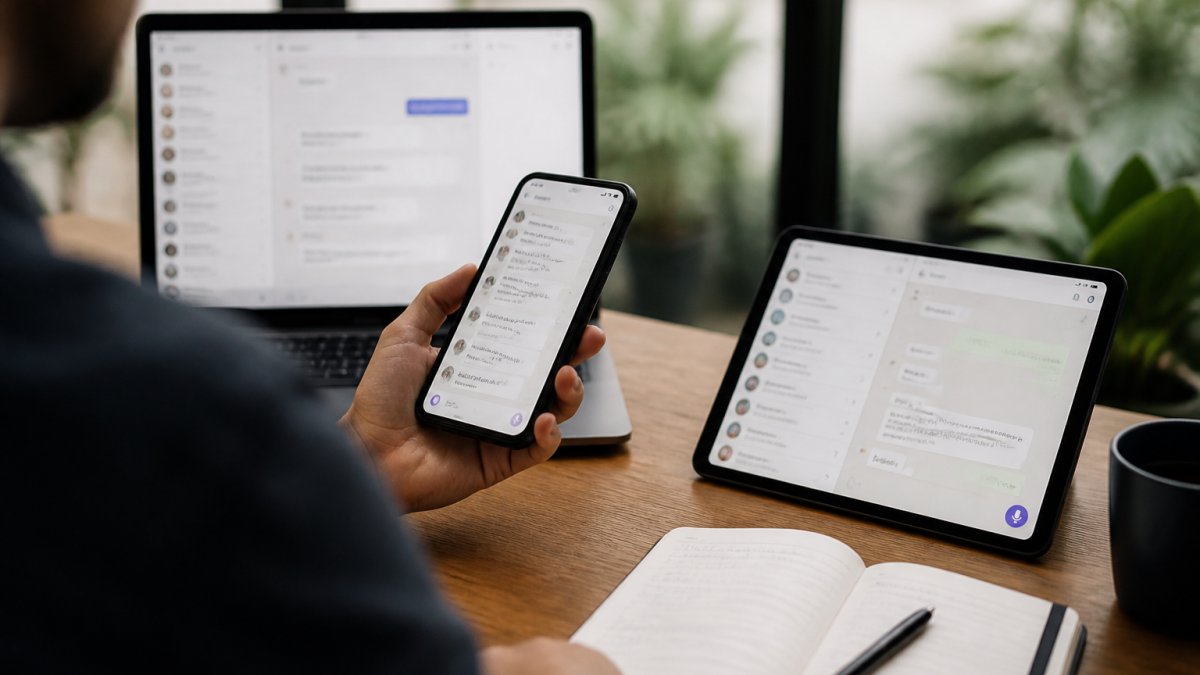
Text, Voice, Video, and File Sharing Across Phones, Tablets, and Desktops
Modern platforms consolidate communication into one interface: text, voice notes, and HD voice and video calls without switching apps.
The best private messaging app for multiple devices implementations keep the interface consistent across platforms, so a button in the same location on your phone is in the same location on tablet and desktop.
Yonora offers HD voice and video calls, voice notes, and file sharing across phones, tablets, and computers with synchronized message history. The platform works without requiring a SIM card, so you can use it on any internet-connected device regardless of carrier.
Group Chats and Two-Factor Authentication
Group chats complicate encryption: each participant needs a copy of the keys, so the platform must distribute them securely, and adding or removing someone requires updating the encryption setup for everyone remaining.
Two-factor authentication (2FA) adds a layer beyond your password: logging in requires your password plus a second method, an authenticator app code, backup code, or confirmation on a trusted device. This makes account takeover significantly harder even if someone obtains your password.
For secure messaging without phone number apps, 2FA is essential. Since you're not using a phone number as a recovery method, a strong password plus 2FA becomes your primary defense against unauthorized access.
The Registration Process: Setting Up Secure Messaging Without a Phone Number
Creating an account without a phone number is straightforward once you know what to expect.
Start by choosing your registration method. If the app offers username-based signup, select a handle that doesn't reveal your identity.
Next, verify your email address if required. Check your inbox for a confirmation link, click it, and your account becomes active.
Set a strong password: at least 16 characters mixing uppercase, lowercase, numbers, and symbols.
Enable two-factor authentication immediately. Most apps offer this option in account settings.
Finally, configure your privacy settings. Disable contact syncing if available. Set your profile to private so others can't discover you through searches.
Common Mistakes When Choosing a Phone-Number-Free Messaging App
The most frequent error is confusing registration convenience with actual privacy.
Another mistake is ignoring encryption specifications.
Many users also overlook account recovery options until they need them. Testing your recovery process before you actually need it prevents panic later.
A third common error is choosing an app based solely on features without evaluating the platform's data policies. Some apps offer rich features but monetize through data collection.
Finally, people often underestimate the importance of cross-platform consistency. If an app works beautifully on your phone but feels clunky on your laptop, you'll eventually switch to something else.
Getting Started With Your First Secure Messaging App
After choosing a platform, the transition from your existing messaging app takes planning.
Start by downloading the app on your primary device and completing the setup process outlined above.
Test the basic features: send yourself a message, make a voice call, share a file.
Gradually introduce other people to your new messaging setup.
For business use, Yonora offers consolidation of customer communication through its business messaging features.
Remember that switching messaging platforms is a gradual process. You don't need to abandon your old app immediately.
The shift toward secure messaging without phone number options reflects a growing recognition that privacy and convenience don't have to conflict.
Frequently Asked Questions
Can you really use a secure messaging app without a phone number?
Yes. Many secure messaging apps allow registration using a username, email address, or system-generated user ID instead of a phone number. However, not requiring a phone number to register is different from not needing one to use the service. Some apps let you sign up phone-free but may request a number later for account recovery or two-factor authentication. Check each app's registration and recovery process before committing.
What makes a messaging app without SIM card registration actually secure?
True security depends on end-to-end encryption, which ensures only you and your recipient can read messages. Look for apps that use recognized encryption protocols and publish security audits. However, encryption alone doesn't guarantee privacy. Metadata (who you message, when, and how often) can still reveal your communication patterns. Verify that the app minimizes data collection, allows anonymous account creation, and does not sync your contacts without permission.
Which messaging apps don't require a phone number to register?
Several options exist that support username-based accounts. Each has different recovery requirements if you lose access. Yonora works without a SIM card and syncs across phones, tablets, and computers. Always verify the current registration method on the app's official listing or website, as policies change.
Can I use a private messaging app on multiple devices without a phone number?
Yes, if the app supports cross-platform synchronization. Many phone-number-free apps let you register on desktop, tablet, and mobile simultaneously. Your messages, contacts, and settings sync across devices. However, account recovery without a phone number can be problematic if you lose access to your registered email or username. Set up encrypted backups and two-factor authentication using alternative methods (security questions, backup codes) to protect your account.
Is a messaging app without a phone number more private than one that requires it?
Not necessarily. Privacy depends on encryption strength, data retention policies, and metadata handling, not registration method alone. An app requiring a phone number but using strong end-to-end encryption may be more private than one allowing phone-free signup but logging metadata or collecting location data. Compare the actual security features: encryption protocol, open-source code, third-party audits, and what data the company collects and retains.
What should I look for in a secure messaging app?
Prioritize end-to-end encryption, which protects message content. Check for independent security audits and open-source code when possible. Evaluate metadata policies: does the app log who you message and when? Verify two-factor authentication options and account recovery methods. Test cross-platform support if you use multiple devices. Consider whether the app allows anonymous or username-based registration. Finally, check if file sharing, voice calls, and group chats meet your needs.
Is there a completely free secure messaging app without a phone number?
Several free options exist that offer free end-to-end encrypted messaging without requiring a phone number for registration. Yonora provides free HD voice and video calls, messaging, and group chats without a SIM card. Free does not mean no catch, verify the app's revenue model and privacy policy. Some free apps show ads, collect anonymized data, or limit features. Check whether the app's business model aligns with your privacy expectations.