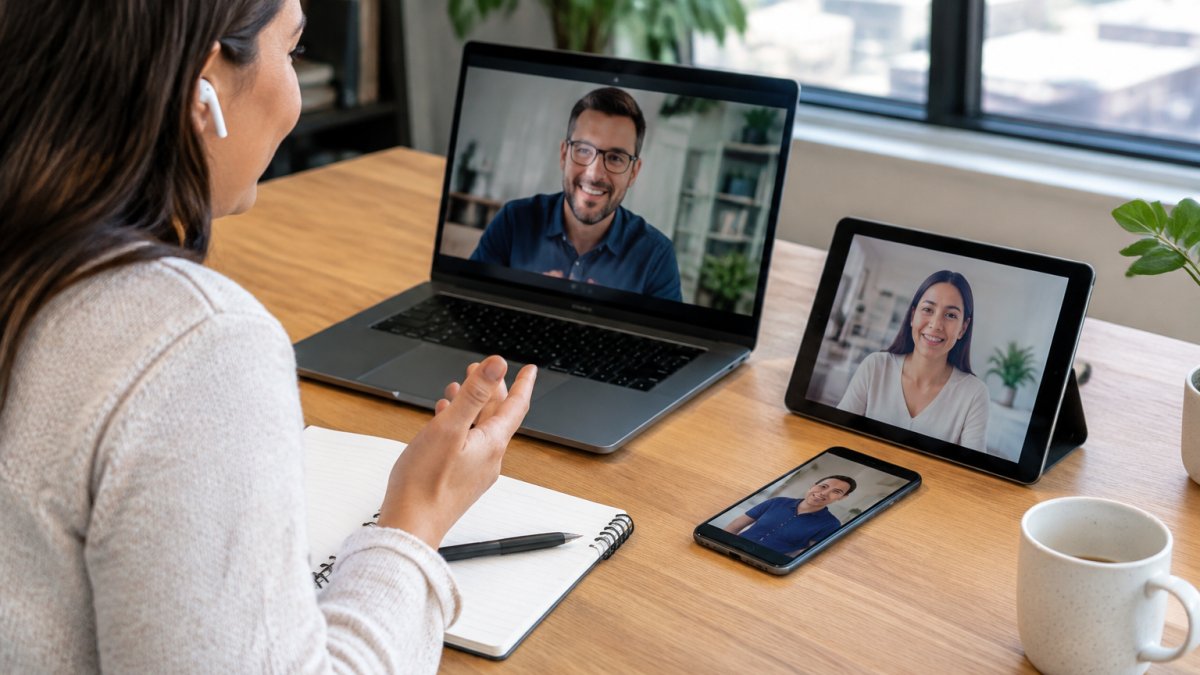
 Listicle
Secure Group Video Calling for Business: 7 Platforms Ranked
Last Updated: November 8, 2026
Quick Summary
Secure group video calling for business means running multi-participant meetings with enforced access controls, encryption, and governance over what gets recorded and retained. The platforms with the deepest admin consoles also carry the heaviest configuration burden, because a control you never switch on protects nobody. Evaluate each option on identity and admission controls, encryption scope, host controls, and recording governance.
- Yonora runs HD group calls for up to 23 people with no SIM card or phone number required.
- Zoom Business pricing starts at $26.95 per host per month.
- Domain-based join restrictions and SSO enforcement can lock out legitimate external guests, so test the guest path first.
- End-to-end encryption typically breaks server-side cloud recording, live transcription, and cloud translation.
- HIPAA compliance requires a signed business associate agreement covering the specific calling product.
Table of Contents
- Quick Comparison: Secure Group Video Calling Platforms for Business
- How We Evaluated Secure Video Conferencing Software
- 1. Yonora: Private Group Calling Without a SIM or Phone Number
- 2. Zoom and Microsoft Teams: Enterprise Controls at Enterprise Prices
- 3. Google Meet, Cisco Webex and TrueConf: Workspace-Led and Translation-Ready
- 4. Jitsi, 8x8, Pexip and Slack: Deployment, Guest Access and Integrations
- Encrypted Group Video Calls: What Encryption Actually Covers
- HIPAA-Compliant Video Conferencing: What Healthcare Buyers Must Verify
- Secure Video Conferencing Best Practices for Every Meeting
- Frequently Asked Questions
Quick Comparison: Secure Group Video Calling Platforms for Business
Secure group video calling for business is the practice of running multi-participant video meetings with enforced access controls, encryption, and governance over what gets recorded and retained. The market reflects that priority: Fortune Business Insights' video conferencing market analysis projects growth from $20.32 billion in 2026 to $37.45 billion by 2034, a 7.9% CAGR. At Yonora, we built our calling stack around a simpler question than most vendors ask: does the meeting stay private by default, or only after an admin configures it?
Here is how the seven options in this guide compare on the controls that actually decide a business purchase.
| Platform | Free Tier | Entry Pricing | Best For | Standout Security Control |
|---|---|---|---|---|
| Yonora | Yes | Free core calling | SIM-free private group calls | No phone number required to join |
| Zoom | No | $26.95/host/month (Business) | Enterprise control depth | Enterprise-grade privacy controls |
| Microsoft Teams | No | Not published in our sources | Microsoft-centric organizations | Ecosystem identity management |
| Google Meet | No | Not published in our sources | Google Workspace users | Workspace-linked access |
| Cisco Webex | No | Not confirmed for Webex | Translation-heavy global teams | Real-time translation, 100+ languages |
| TrueConf, 8x8, Pexip | No | Varies by deployment | Hybrid and on-prem buyers | Deployment flexibility |
| Jitsi, Slack | Varies | Not published in our sources | Guest access and integrations | Open deployment options |
The platforms with the deepest admin consoles also carry the heaviest configuration burden. A control you never switch on protects nobody.
How We Evaluated Secure Video Conferencing Software
We scored each platform against five criteria that map to how security actually fails in practice: identity and admission controls, encryption scope, host controls during a live call, governance over recordings and retention, and deployment practicality for teams without a dedicated IT function.
Pricing transparency counted too. Where a vendor publishes a starting price, we cite it. Where our research did not confirm a figure, we say so rather than estimate.
One data point frames the stakes. QuickBlox's video conferencing usage statistics reports that 80% of employees use video tools for one-on-one calls and 77% rely on them for team meetings. Group calling is not an edge case. It is the default, which means a single misconfigured meeting link can expose an entire department.
1. Yonora: Private Group Calling Without a SIM or Phone Number
Yonora runs HD voice and video calls, voice notes, and group chats across phones, tablets, and computers without a SIM card or phone number.
Group calls support up to 23 people.
Pros:
- No SIM or phone number required
- Private by design
- One app across phone, tablet, and desktop
- Yonora can reply to a customer in any language in seconds
- Free HD voice and video calling
Where Yonora Fits in a Business Stack
For SIM-free options more broadly, our guide to making free video calls without a SIM card walks through setup, and the comparison of messaging apps that work without a SIM card covers the wider category.

2. Zoom and Microsoft Teams: Enterprise Controls at Enterprise Prices
Zoom and Teams offer administrative control sets that go deep, and buyers should check each vendor's current pricing directly.
Both platforms treat security as a configuration surface rather than a default: the controls exist, but each is a setting someone has to enable and maintain. The controls that decide a business purchase fall into four groups:
- Admission controls: waiting rooms, meeting passwords, authenticated-only join, and the ability to lock a meeting once all expected attendees are present. These are the first line of defense against link leakage.
- In-meeting host controls: the ability to mute participants, restrict screen sharing to the host, remove attendees, and disable file transfer or chat for guests. Screen-sharing permissions are the control most often left open by mistake.
- Identity and authentication: SSO enforcement, domain-based join restrictions (only users from your verified domains can join without admission), and role-based host/co-host assignment. These map directly to Threat 3 in the encryption section above.
- Governance and audit: recording permissions, retention policies, transcript controls, and admin audit logs that show who changed which setting and when. This is where enterprise tiers separate from mid-tier plans.
That creates a specific evaluation question: who owns the admin console, and how often will they audit settings? A quarterly review of admission controls, screen-share permissions, recording permissions, and retention policies is the minimum viable governance for teams running dozens of external meetings a week.
Watch out: domain-based join restrictions and SSO enforcement can lock out legitimate external guests, contractors, clients, and partners on personal email, so test the guest path before you enforce identity controls organization-wide.
Best for: organizations with a dedicated admin who will actually audit settings quarterly. Skip if: nobody on your team owns security configuration.
3. Google Meet, Cisco Webex and TrueConf: Workspace-Led and Translation-Ready
Best for: organizations already standardized on one ecosystem, or global teams where translation is a hard requirement. Skip if: you need confirmed published pricing before you can shortlist.
4. Jitsi, 8x8, Pexip and Slack: Deployment, Guest Access and Integrations
Best for: teams with specific deployment constraints or an existing collaboration hub they will not leave. Skip if: you need a decision this week based on published specifications.
Encrypted Group Video Calls: What Encryption Actually Covers
Encryption is necessary and insufficient. Southern Methodist University research on video conferencing security highlights privacy risks in conferencing apps and questions how secure these tools really are, which lines up with what we see: a call can be encrypted in transit and still leak through recordings, transcripts, and guest links.
The useful way to evaluate encryption is not "is it encrypted?" but "encrypted against whom?" A threat model turns a vague security claim into a testable question.
Threat 1: Network interception. An attacker on the same Wi-Fi, a compromised router, or an ISP-level tap tries to capture the media stream. Transport encryption (TLS/SRTP between participant and server) defeats this.
Threat 2: Provider-side access. The vendor, a subcontractor, or someone with server credentials can read meeting content.
Threat 3: Account and identity compromise. An attacker steals a host's credentials or a meeting link and joins as a legitimate-looking participant. Encryption does nothing here.
Threat 4: Content persistence. Recordings, transcripts, chat logs, and shared files outlive the meeting and become the real exposure surface.
A common pattern is that teams over-invest in Threat 1 (which every vendor handles) and under-invest in Threats 3 and 4 (which are configuration and governance problems). Security guidance from Neat's secure video conferencing guidance frames secure conferencing as layered: encryption, identity controls, access management, and employee training together, not encryption alone. The FTC's guidance on video conferencing privacy adds a blunt operational rule: assume you might be recorded, and avoid sharing private information when you can.
Watch out: if your compliance team depends on cloud recording or live transcription, confirm with your vendor whether end-to-end encryption affects those features before you turn it on.
For a deeper look at what each encryption model covers and where it stops, our guide to the best encrypted group video calls breaks down the options.
HIPAA-Compliant Video Conferencing: What Healthcare Buyers Must Verify
HIPAA-compliant video conferencing depends on the vendor's agreement and your configuration. The platform name alone does not make you compliant.
Four things to verify before a healthcare call goes live:
- A signed business associate agreement covering the specific calling product, not just the parent company
- Retention and deletion terms for recordings and transcripts, in writing
- Access controls that map to your workforce roles, with audit capability
- Incident notification timelines that satisfy your own breach response obligations
Ask for the vendor's data processing agreement and legal terms as part of due diligence. Yonora publishes a data processing agreement and legal terms that buyers can review before committing.
Secure Video Conferencing Best Practices for Every Meeting
Most breaches in group calling are not cryptographic. They are procedural. Market.us video conferencing statistics reports that 58% of companies have integrated video conferencing into regular operations, which means the average organization now runs dozens of meetings a week with inconsistent habits.
Use this checklist before your next external call:
- Require a meeting password for every external invite
- Enable a waiting room and admit participants by name
- Lock the meeting once all expected attendees have joined
- Restrict screen sharing to the host until the agenda reaches a share point
- Confirm who can record, and announce recording before it starts
- Remove dial-in details from public calendars
- Review the participant list before discussing anything sensitive
- Set a retention period for recordings and delete on schedule
Watch out: leaving screen sharing open to all participants lets an uninvited guest present content to your entire room. Restrict it to hosts by default.
Group video calling security fails quietly. A default setting left unchanged, a link posted in a public channel, a recording nobody deleted. Yonora gives small teams a private calling layer without a telecom contract: HD voice and video calls with no SIM or phone number, group calls up to 23 people, and cross-device sync so a conversation started on a phone continues on a laptop. Get started with Yonora and run private group calls without collecting personal phone data.
Frequently Asked Questions
What is the most secure video call platform for business?
No single platform wins on every measure. The most secure choice depends on which controls you can actually enforce: end-to-end encryption on group calls, meeting passwords, waiting rooms, host controls over screen sharing, and audit logs. Secure video conferencing generally requires encryption, identity controls, access management and employee training together, not encryption alone. Evaluate each shortlisted platform against those four layers, then check whether the controls you need sit in the plan you can afford.
Are group video calls end-to-end encrypted?
Not always, and the distinction matters when you buy. End-to-end encryption means only participants hold the keys, so the provider cannot listen in. Many business platforms encrypt data in transit and at rest but hold the keys themselves, which enables recording, transcription and dial-in access. Ask each vendor directly whether group calls are end-to-end encrypted and which features switch that protection off.
Which video platforms are HIPAA compliant?
Compliance is an agreement, not a product label. A HIPAA-compliant video conferencing setup needs a signed Business Associate Agreement, encryption in transit and at rest, access controls, audit logs and defined retention for recordings and transcripts. Confirm in writing with each vendor which platforms will sign a BAA before any patient conversation. Treat any platform without a signed BAA as unsuitable for protected health information, whatever its marketing says.
Can businesses use free video conferencing apps securely?
Yes, within limits. A free tier can be secure for internal catch-ups if you use meeting passwords, waiting rooms and host controls, and avoid sharing sensitive information. Treat video calls as potentially recorded and avoid sharing private information where possible. Free plans usually cap participant numbers and may withhold audit logs or admin controls, so map your plan limits against your security requirements before rolling a free tool out across a team.
What security features should businesses look for in a video calling app?
Check for end-to-end encryption on group calls, single sign-on and multi-factor authentication, meeting passwords and waiting rooms, meeting lock, host controls over screen sharing and recording, audit logs, and admin-level user permissions. Add a clear retention and deletion policy for recordings and transcripts, plus a stated incident response process. Run this checklist against every secure video conferencing software option you shortlist, and ask vendors to demonstrate the controls rather than describe them.